Start with your space.
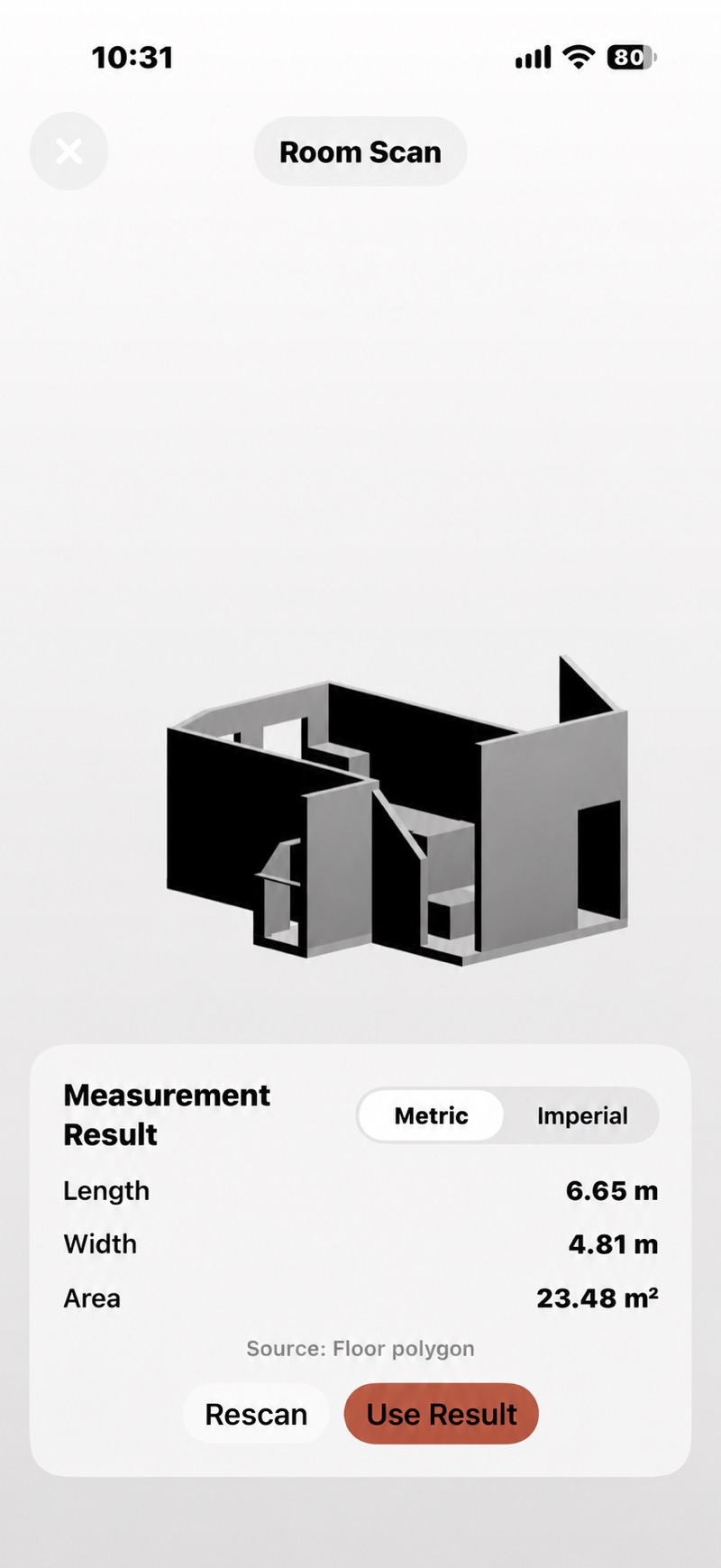
Capture a room on a compatible LiDAR device, or enter measured dimensions. Review what needs to be included and excluded.
Meet ScanRoom TileVero.
Get in touch
Thoughtful spaces start here
A room full of possibilities.
A plan for every piece.
Turn room measurements into tile quantities, material estimates, and a clearer picture of your project costs. Meet TileVero for iOS.
Free download with optional Pro subscription. Requires iOS 26.0 or iPadOS 26.0 or later. Scan on compatible LiDAR devices, or enter measurements manually. Plans and requirements.
Weekend renovators. Detail-minded tilers. The next job on your list.
Find your starting pointFrom the first measurement
Bring the moving parts of your project into one planning workflow, before the first tile goes down.
Capture a room on a compatible LiDAR device, or enter measured dimensions. Review what needs to be included and excluded.
Meet ScanRoomSet tile dimensions and your layout. Consider cutting losses, breakage, pack sizes, and the materials your installation needs.
Plan your tilesUse local prices to review an estimate. Check the measurements, material specifications, and purchase list before ordering.
Understand the estimate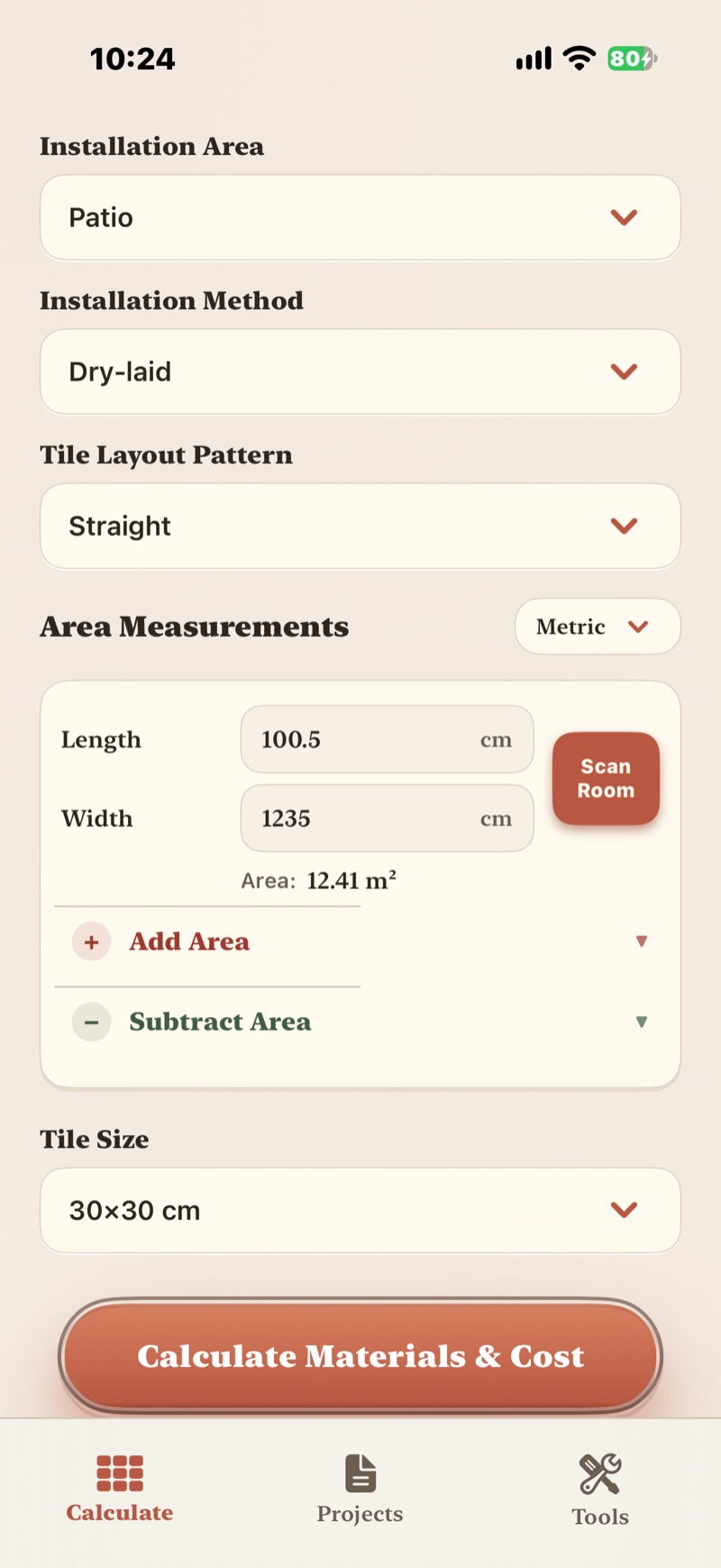
Tile by tile
The room, the tile, and the way you lay it all matter. Bring your dimensions and layout together, then allow for the pieces that need cutting.
Beyond the tiles
Mortar, grout, consumables, tools. A tile project is more than a price per square metre. Review material quantities and costs in the context of your job. Editing result quantities and unit prices requires Pro.
An estimate is a planning tool. Actual coverage, local prices, and site conditions still need checking.
See materials & cost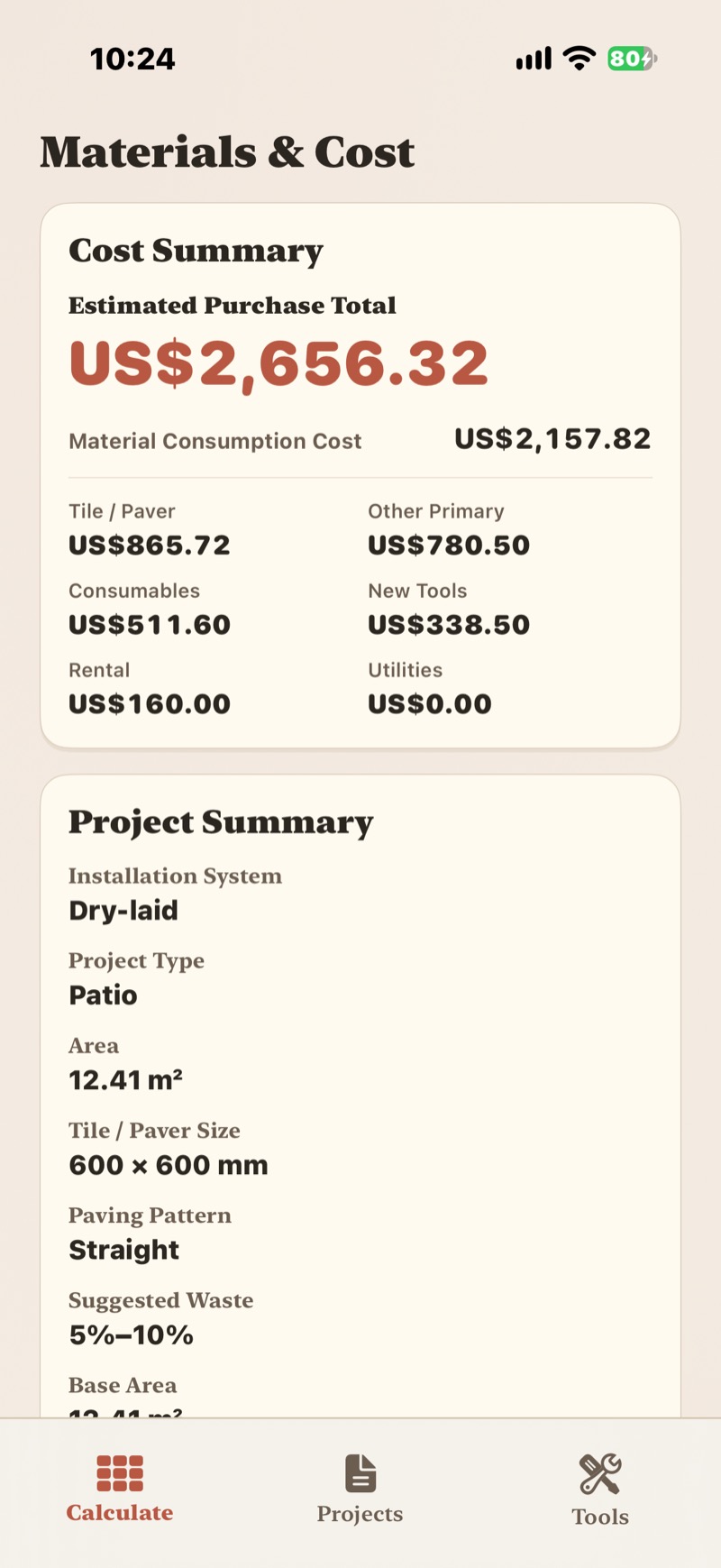
Before you order
A little planning goes a long way
iPhone & iPad · iOS / iPadOS 26.0 or later.
Free download · Optional Pro subscription.
ScanRoom requires compatible LiDAR hardware.
Availability varies by region; unavailable in Mainland China.